

Reference

Dragon Tiger Live With Clear Table Choices

Dragon Tiger Live on bos898 puts Dragon, Tiger and Tie selections in one live dealer layout, with the result shown after each round.

Live dealer tableDragon and Tiger sidesTie side selectionPhone-ready controls
bos898 Dragon Tiger Live With Clear Table Choices
bos898 What Dragon Tiger Live Brings

What Dragon Tiger Live Brings

Dragon Tiger Live is a fast live card table where one card is dealt to Dragon and one to Tiger, and the higher card decides the main result. Our lobby shows the active table before you enter, so you can see the layout rather than searching through unrelated rooms. The table card identifies the game studio and opens its rules panel. bos898

keeps the route focused: log in, finish phone verification, choose live casino, then select Dragon Tiger Live.

ROUND DETAILS

Three Things To Watch At Tables

Each round gives you a short decision window, visible main sides, and a live dealer feed that keeps card dealing easy to follow.

bos898 Dragon Or Tiger
MAIN SIDES

Dragon Or Tiger

Choose Dragon when you expect the Dragon card to be higher, or Tiger when you expect…

bos898 A Separate Outcome
TIE OPTION

A Separate Outcome

Tie is its own selection for rounds where both cards match in rank.

bos898 Visible Card Reveal
LIVE DEALER

Visible Card Reveal

The dealer presents the two-card comparison on the stream, while the interface records your selected side.

GAMEPLAY FLOW

Your Dragon Tiger Live Table Path

Getting into Dragon Tiger Live starts from the live casino category, not the slot rooms.

Enter The Live Category Start from the live casino category and select Dragon Tiger…
Choose A Main Side Use the Dragon or Tiger area for the two principal…
Check The Round Timer The visible timer marks the available selection period.
Read The Result Panel After both cards are revealed, the result panel identifies Dragon…
TABLE CLARITY

Dragon Tiger Live Access Details

Live card tables do not work like reel games with a single fixed volatility label or a uniform displayed return figure.

Auto-refresh hourly
bos898 Game Type

Game Type

92%

Live dealer card comparison table with Dragon, Tiger, and Tie selections.

bos898 Volatility Context

Volatility Context

97%

A fixed volatility category is not displayed for this live table because outcomes depend on individual…

bos898 Supported Devices

Supported Devices

96%

Dragon Tiger Live opens through current phone and desktop browsers from the same account.

bos898 Access Region

Access Region

95%

Availability for Dragon Tiger Live depends on local law.

RTP percentages are informational reference values from provider documentation. Actual session outcomes vary.

PHONE TABLE VIEW

Keep Dragon Tiger Live Visible On Mobile

Phone play keeps the live stream, card positions, and betting controls on a single screen path.

bos898 mobile gaming
One Browser Route
Dealer Above Controls
Compact Chip Area
Reconnect With Context
TABLE HELP

Get Help With A Live Table

Table-specific help matters when a timer, result display, or account screen does not behave as expected.

Table Screen Question Use the support path from your logged-in area and state that the issue concerns Dragon Tiger Live. Include whether you were viewing the stream, selecting Dragon or Tiger, or checking a completed round result.
Round Status Check If a timer or result panel looks unclear, reopen the table card and compare the current displayed status. Share the table name and approximate time with support so the request relates to the correct live room.
Account Access Stall When the live category does not open after login, check the phone verification step attached to your account access. Once it is complete, return to Dragon Tiger Live through the live casino category.
FAIR TABLE SIGNALS

What We Show Before You Join

Clear table information helps you assess Dragon Tiger Live before selecting a side. We keep the game card, live dealer feed, rules panel, and account route connected in the lobby instead of…

Studio Identification

The Dragon Tiger Live table card identifies the studio attached to that room. Check that label before entering, especially when more than one live table is displayed in the casino category.

Rules Panel

Open the table rules panel to read how Dragon, Tiger, and Tie are handled for that room. This is the relevant source for displayed side conditions and round settlement details.

Live Deal Sequence

The stream shows the dealer’s dealing sequence and card reveal. You can compare the visible cards with the result panel after the round, rather than relying on a text-only outcome.

Visible Timer

A betting timer appears during the selection phase. It gives you a clear marker for when a side can be chosen and when the dealer will move to the reveal.

Account Confirmation

Your selected table side is shown in the interface before the round closes. Check that on-screen marker as part of your own confirmation before watching the dealer reveal the cards.

Local Access Check

The logged-in lobby reflects the tables available to your account. Dragon Tiger Live access depends on local law, and the displayed table card is the current account-level reference.

LOBBY COMPARISON

Choose The Table That Fits

Dragon Tiger Live is built around a two-card comparison, which makes it different from roulette wheels, crash rounds, fishing action, and sports markets.

01

Dragon Tiger Live

A live dealer compares one Dragon card against one Tiger card. Choose it for direct main-side decisions, a short round rhythm, and a visible card reveal on the live stream.

02

Lightning Roulette Room

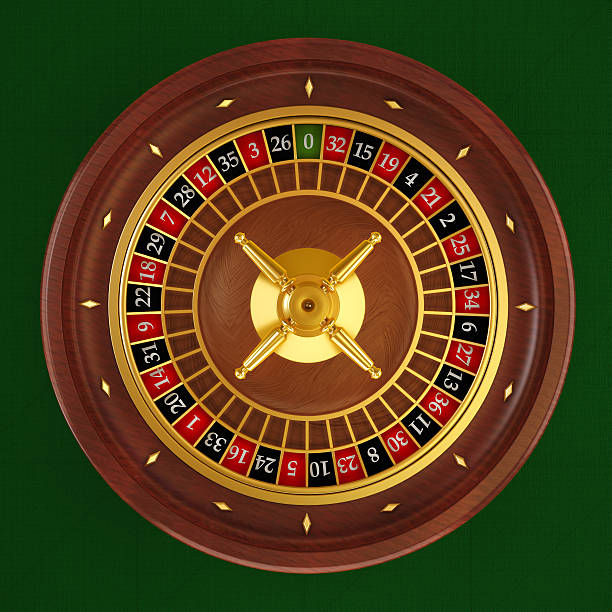
This room uses a roulette wheel and numbered outcomes rather than a card comparison. Choose it when you prefer wheel-based selections over the Dragon, Tiger, and Tie structure.

03

Aviator Crash Game

Aviator Crash Game follows a rising multiplier format rather than dealer-led cards. It suits you when you want to follow a single changing display instead of waiting for two cards.

04

Fishing War Fast Round

Fishing War Fast Round uses a fast-action fishing format, not a live dealer table. It is a different choice when you prefer target-based screen interaction over a simple card comparison.

05

Live In-Play Football

Live In-Play Football concerns football markets and match events, rather than a casino table round. Use its sportsbook route when your interest is an ongoing match instead of Dragon Tiger cards.

06

Badminton Asia Championship Bet

Badminton Asia Championship Bet is a badminton market page, not a dealer game. It fits match-focused selections, while Dragon Tiger Live remains a short-form live card table.

07

Live Casino Category

The live casino category is the direct route for Dragon Tiger Live and Lightning Roulette Room. It keeps dealer-table choices together, separate from sports pages and fast-round game formats.

TABLE HIGHLIGHTS

Six Dragon Tiger Live Details

Dragon Tiger Live keeps its core format easy to read: two cards, three primary table areas, and a result after each dealer reveal.

Two Card Comparison Every main round compares a Dragon card with a Tiger…
Three Table Areas Dragon, Tiger, and Tie are displayed as separate areas in…
Dealer-Led Reveal A live dealer handles the card sequence on screen.
Short Round Rhythm The table returns to a new selection period after the…
Rules Beside Table The table rules panel is available from the Dragon Tiger…
Phone And Desktop Access The same Dragon Tiger Live account route works through phone…

Dragon Tiger Live Questions Answered

These answers focus on the table decisions you see before and during a Dragon Tiger Live round. We keep the practical path simple: access your account, complete phone verification, enter live casino, and open the relevant game card. For any room-specific condition, use the rules panel inside that table because live rooms can display their own details. Access depends on local law.

Dragon Tiger Live is a live dealer card comparison game. One card is dealt for Dragon and one for Tiger, with the higher card deciding the main result. The table also displays a separate Tie selection when both cards have the same rank.

Log in, complete the phone verification step if prompted, open the live casino category, and select the Dragon Tiger Live table card. The card opens the dealer stream and betting panel together, so you can inspect the table before joining.

Dragon and Tiger are the two principal sides of the card comparison. You select the side whose card you expect to rank higher. Tie is a separate table choice for a round where the Dragon and Tiger cards match in rank.

Yes, Dragon Tiger Live is available through the phone browser route from login to the live casino category. The mobile screen places the dealer feed above Dragon, Tiger, and Tie controls, with the round timer visible during selection.

The timer shows how long the current round remains open for selections. Once it closes, the dealer moves to the card reveal. Check the timer and your on-screen chip marker before the dealing stage begins.

Open the rules panel from inside the Dragon Tiger Live table interface. That panel is the appropriate place to check the displayed handling of Dragon, Tiger, Tie, and any table-specific conditions before you make a selection.

Dragon Tiger Live availability depends on local law. After logging in, check the live casino lobby for the tables shown to your account. If the table does not appear, use the account help path to check your access status.